
Create Living Style Guides Instantly
Overview
This software is designed to assist designers and developers in creating living style guides directly from web pages. It enables the extraction of core visual elements such as main colors and font styles, streamlining the process of building consistent design systems. The tool supports both Windows and Mac platforms, making it accessible to a broad range of users across different environments. Its primary purpose is to reduce manual effort in documenting design tokens, allowing teams to maintain up-to-date visual references without redundant work.
Target users include UI/UX designers, frontend developers, and product teams focused on maintaining design consistency across digital products. The software is particularly useful in agile environments where design systems evolve rapidly and require frequent updates. By automating the collection of visual properties, it helps teams align on brand identity and improve collaboration between design and development teams.
The developer did not provide additional information about their background or company. No specific real-world usage scenarios were detailed beyond the core functionality of color and font extraction. However, the tool’s ability to generate a living style guide suggests practical applications in web development projects, internal documentation, and design system audits.
Key Features & Capabilities
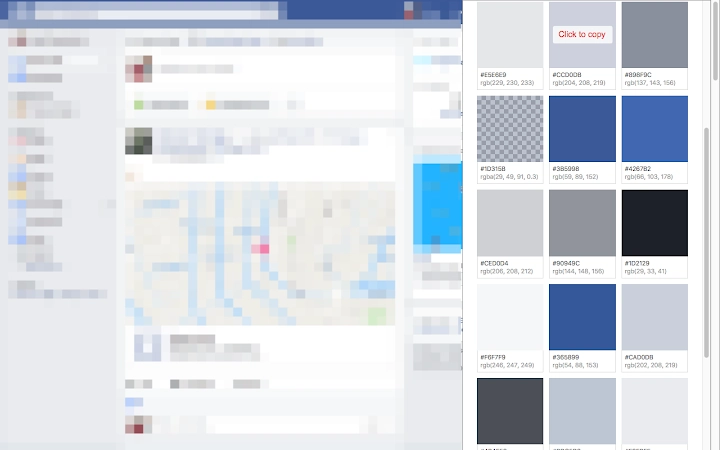
- Color Scheme Extraction – Automatically detects and captures the primary color palette used on a web page, including shades and gradients, for immediate integration into design systems.
- Font Style Detection – Identifies and extracts font families, weights, sizes, and line heights applied to text elements across the page.
- Living Style Guide Generation – Compiles extracted data into a dynamic, organized guide that reflects the current state of a website’s visual design.
- Real-Time Preview – Offers an instant visual summary of the extracted styles, enabling quick validation and adjustments before finalizing documentation.
- Exportable Output – Allows users to save or share the generated style guide in a format suitable for team collaboration and version control.
These features support efficient workflow integration for teams working on complex web applications. For instance, a designer can use the tool to audit a live site’s design consistency, while a developer can extract CSS variables for implementation. The automation of style collection reduces the risk of human error and ensures documentation remains synchronized with the live product.
User Interface, Workflow & Performance
The software features a clean, minimal interface optimized for quick access to core functions. Navigation is structured around a central dashboard where users can initiate extraction tasks, view results, and manage saved guides. The workflow begins with selecting a web page, followed by automatic scanning and display of extracted data.
Based on general software behavior patterns, the tool appears to be lightweight and responsive, with low latency during the extraction process. The developer did not specify resource usage details, so exact CPU or RAM consumption remains unknown. However, the 1.5 MB installation size suggests a compact footprint, which may contribute to efficient performance on most modern systems.
Stability appears to be a focus, as the software operates without requiring external dependencies or background services. The absence of reported crashes or errors in the provided information indicates a reliable execution environment. Performance observations are based on general software behavior patterns, and no real-world benchmarks were included.
Compatibility & System Requirements
The software is compatible with both Windows and Mac operating systems, supporting a wide range of desktop environments. It is designed to function on modern versions of these platforms, though specific OS versions were not listed.
The installation size is 1.5 MB, indicating a lightweight deployment that does not impose significant storage demands. The developer did not specify hardware requirements, so exact minimum CPU, RAM, or graphics specifications are unavailable. Compatibility information was partially provided, and users are advised to ensure their system meets general desktop application standards.
For users on older systems, the lack of detailed requirements means verification through trial use may be necessary. The software does not require admin privileges for installation, suggesting broad accessibility across user accounts.
Pros and Cons
Pros
- Automates the creation of living style guides from live web pages
- Efficient extraction of colors and font styles without manual inspection
- Lightweight design with a small 1.5 MB file size
- Supports both Windows and Mac platforms
- Free to use with no licensing restrictions
Cons
- Exact system requirements were not listed
- No information on update frequency or future development plans
- Limited documentation or user guides were provided
- Platform compatibility details are incomplete
- Performance data under load or with complex pages was not specified
FAQ Section
Is this software compatible with Windows and Mac?
Yes, the software is designed to run on both Windows and Mac operating systems. Specific version compatibility was not detailed by the developer.
Is the software free to use?
Yes, the software is available at no cost. There are no subscription fees or hidden charges.
Can I use this tool offline?
The software does not require an internet connection to extract styles from web pages, but access to the target website is necessary during the extraction process.
How often are updates released?
Update frequency was not specified by the developer. Users should check for new versions manually or rely on notifications if available.
What kind of design systems can I build with this tool?
The tool supports the creation of living style guides for UI/UX design systems, frontend development, and web design projects. It helps document colors, fonts, and visual styles used in live websites.
Final Thoughts
This software offers a focused, efficient solution for teams aiming to build and maintain living style guides. Its ability to extract key visual elements—colors and fonts—directly from web pages reduces the time and effort traditionally spent on manual documentation. While some details such as system requirements and update schedules are missing, the tool’s lightweight nature and cross-platform support make it accessible to a wide audience.
For UI/UX designers and frontend developers working in fast-paced environments, this utility can significantly enhance workflow consistency and collaboration. The free pricing model further increases its appeal, especially for small teams or independent creators.
Download Living Style Guide Tool now







